Floe
Secure, encrypted P2P file transfer.No accounts, no file storage, and no registration required.
How it works
Your files never make a stop.
Two devices open an encrypted WebRTC channel and stream bytes to each other. The signaling server brokers the handshake, then steps out of the way.
Drop your files
You get a share link and a QR code. The room id rides the URL fragment, which never appears in page requests, server logs, or analytics.
Share either one
Your peer opens the link in any browser, scans the QR, or pastes the link into the desktop app or the CLI. No account on either side.
Watch it stream
Bytes move device to device over the encrypted channel. Close the tab and the transfer stops. Nothing is left behind.
Privacy
The server can't read what it never receives.
Floe's signaling server exists to introduce two devices, and that is all it does. This is the complete list.
The signaling server handles
- WebRTC offers, answers, and ICE candidates
- The room id that pairs two devices, held in memory while the room is open
- A short room code when the sender uses the CLI or desktop app, expiring after 10 minutes
- Short-lived TURN relay credentials
- One anonymous running total of bytes for the public counter
- Your IP address, held in memory only long enough to rate-limit abuse
It never sees
- Your files, file names, or folder structure
- Your share link. The
#roomfragment never travels in an HTTP request, referrer, or analytics event - Any transfer traffic. Once the peers connect, the data channel bypasses it entirely
- Relayed traffic in the clear. Relay packets stay encrypted end to end
Command line
The same transfer, without the browser.
floe is a single static binary that talks to the same signaling infrastructure as the web app. Browser to terminal works in every direction, and folders arrive with their structure intact.
> winget install jannskiee.floefloe send <path>Share files or entire foldersfloe receive <code>A short code is all the other side needsfloe updateThe binary updates itself
Also available via Scoop, a PowerShell one-liner, and go install. Installation guide
Example terminal session: floe send shares three files totaling 10.1 MB, prints the short code olive-tiger-castle and a link, connects to the peer, and completes the transfer in 8 seconds at an average of 1.3 MB per second.
Desktop
Transfers that outlive the tab.
Floe Desktop is the same app, running natively on Windows. Drop a folder to send it without zipping, paste a screenshot straight from the clipboard, get a notification when a transfer lands. Same rooms, same end-to-end encryption as browser and CLI peers.
- Paste to sendCtrl+V a screenshot or files copied in Explorer
- FoldersSent as folders, no zipping
- HistoryWhat you sent and received, stored locally
v0.2.12 beta · Windows
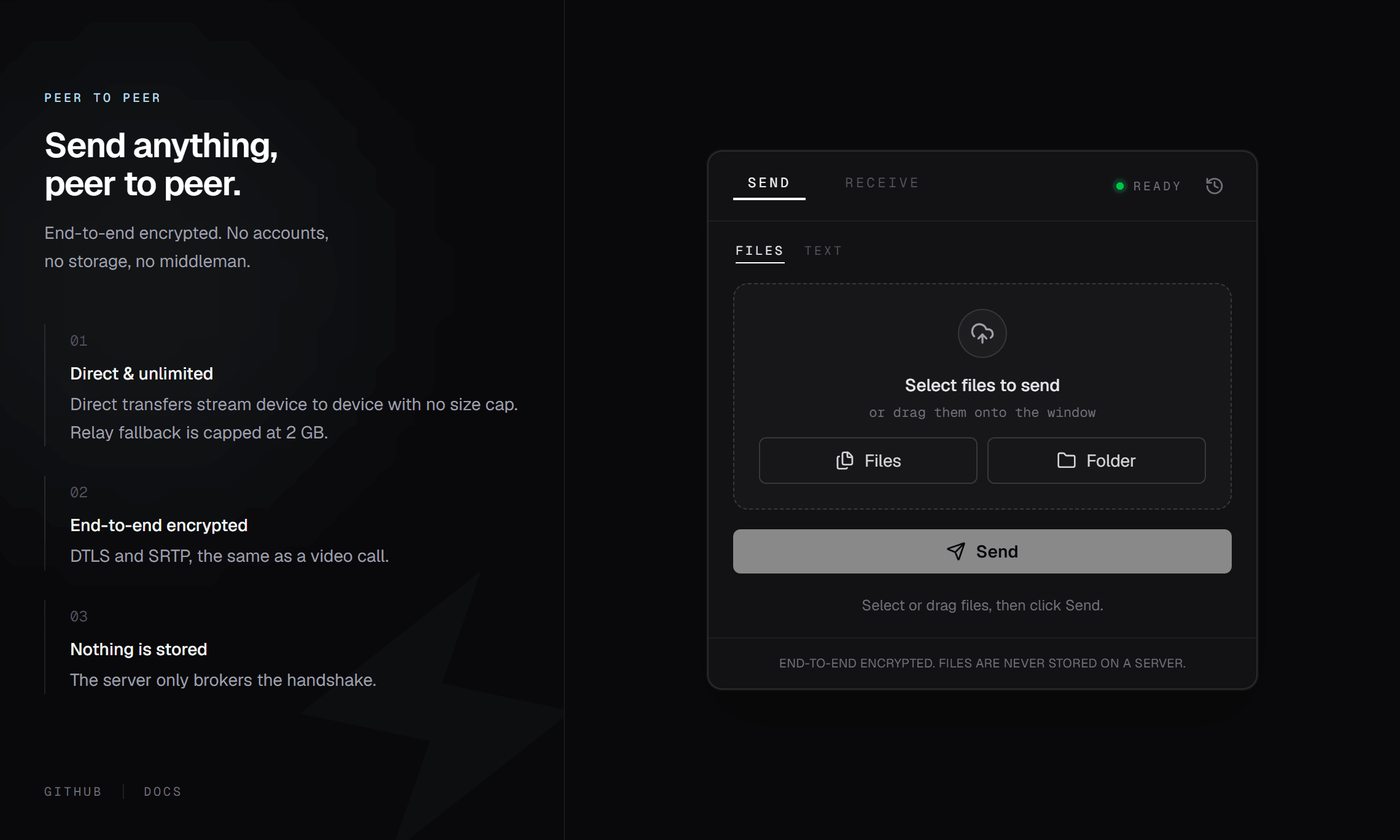
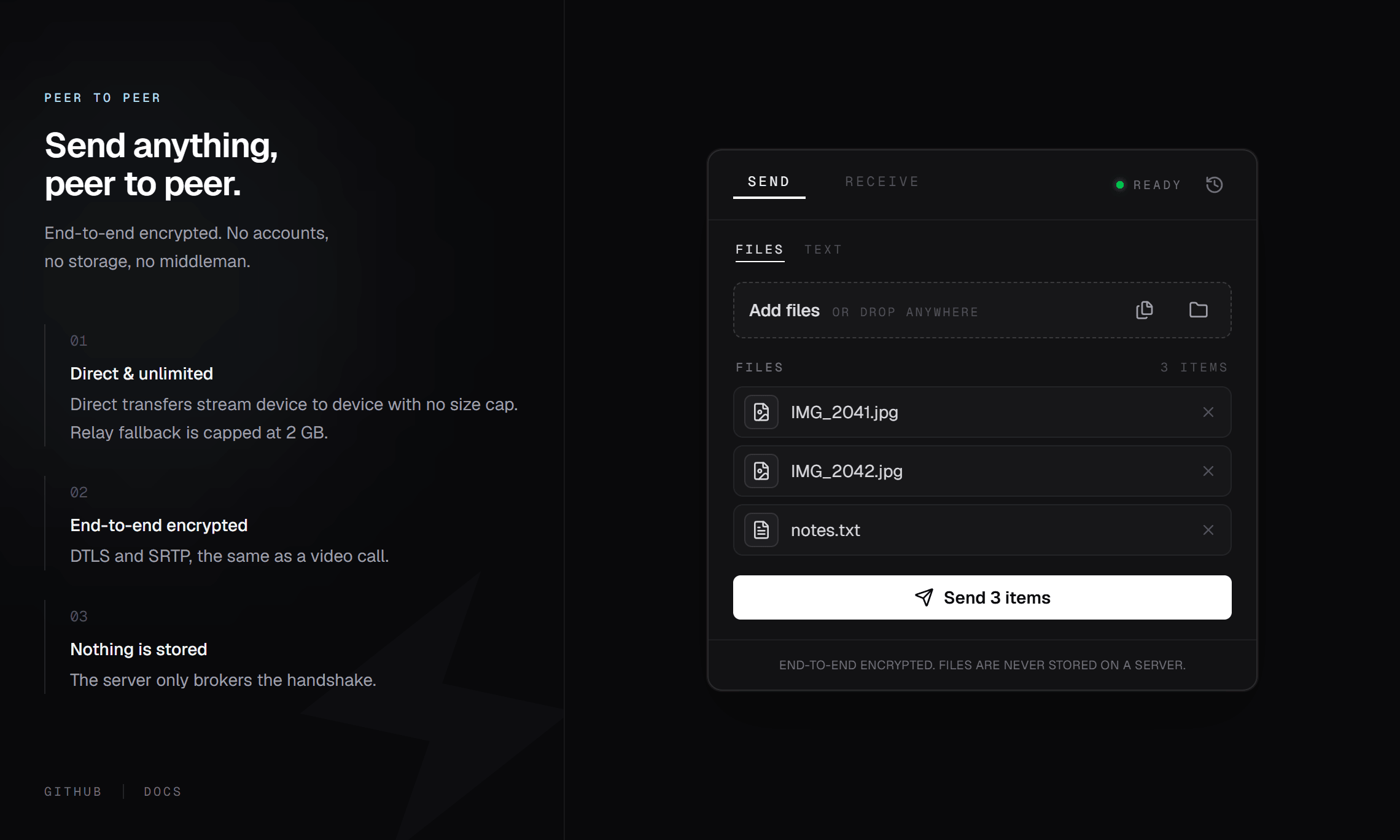
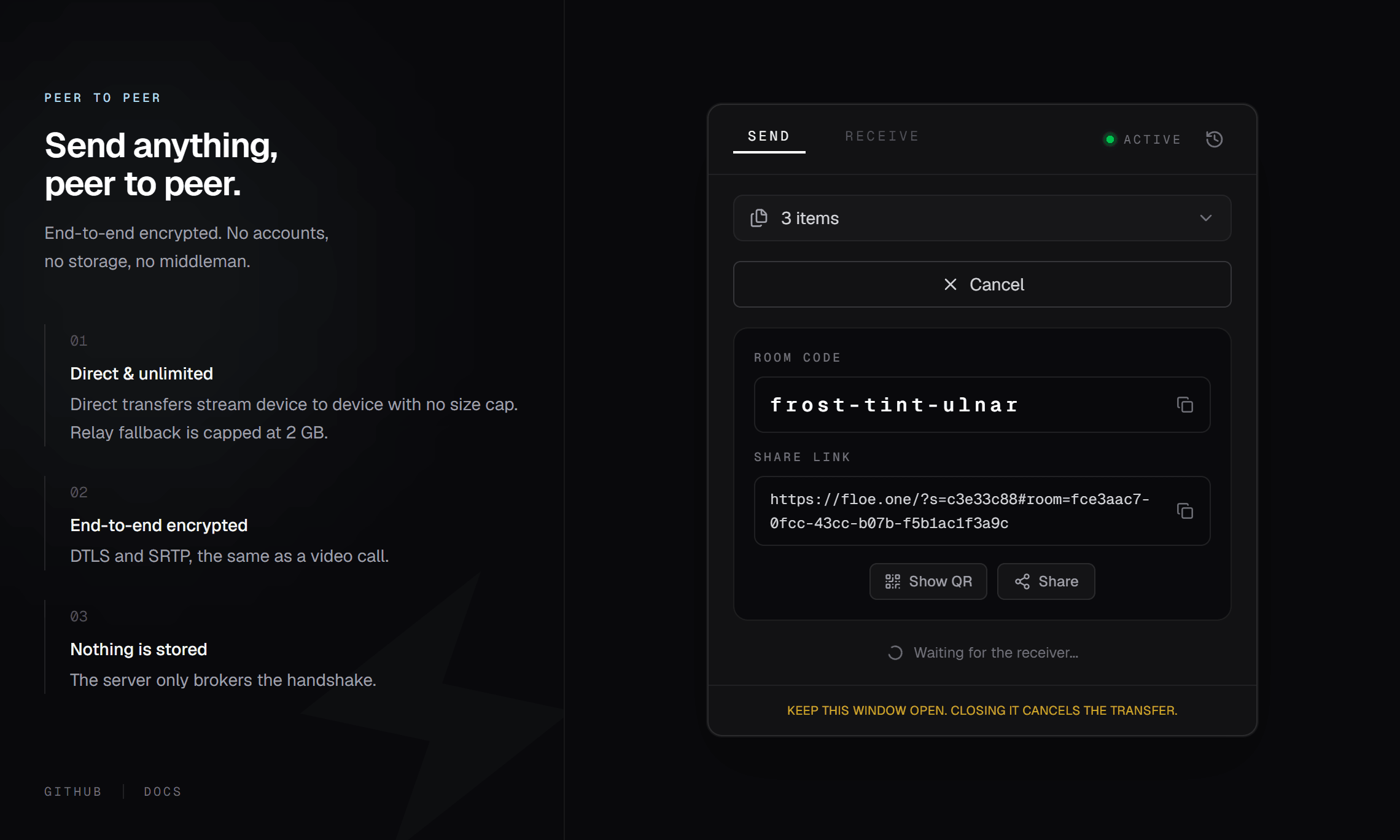
Demo of the Floe desktop app: three files are pasted and staged, then a share panel opens a live room with the code frost-tint-ulnar and a share link, waiting for the receiver.
Capabilities
No asterisks.
The fine print, printed large. Every claim below holds for the current release.
Unlimited direct transfers
No size cap on direct connections. Relayed sessions cap at 2 GB, and the badge shows which one you are on.
Browser to terminal
The web app and the CLI share one protocol. Send from a server, receive on a phone, any direction.
Folders stay folders
The CLI walks directories recursively and preserves their structure on the other side.
Honest progress
Per-file bars with live speed and ETA, in the browser and in the terminal.
Self-hostable
Run your own signaling server and relay with Docker. The docs cover production setup.
Open source, MIT
Client, server, and CLI. Every line is on GitHub.
FAQ
Questions, answered plainly.
It's simple! Here's how it works:
For Senders:
- Drag and drop your files (or click to select them)
- Copy the link that appears
- Send that link to your friend
- Keep your browser tab open until they finish downloading
For Receivers:
- Open the link your friend sent you
- Wait for the connection (the status badge shows "Direct" or "Relay")
- Click "Download All" and the files come straight from your friend's device
That's it! No accounts needed, no waiting for uploads.
Yes, in beta. Floe Desktop is a small native app for Windows that speaks the same protocol as the web app and the CLI, so any two can transfer to each other. It sends folders without zipping, pastes screenshots and copied files straight from the clipboard, and shows a notification when a transfer finishes. Install it from the Microsoft Store via the download page.