

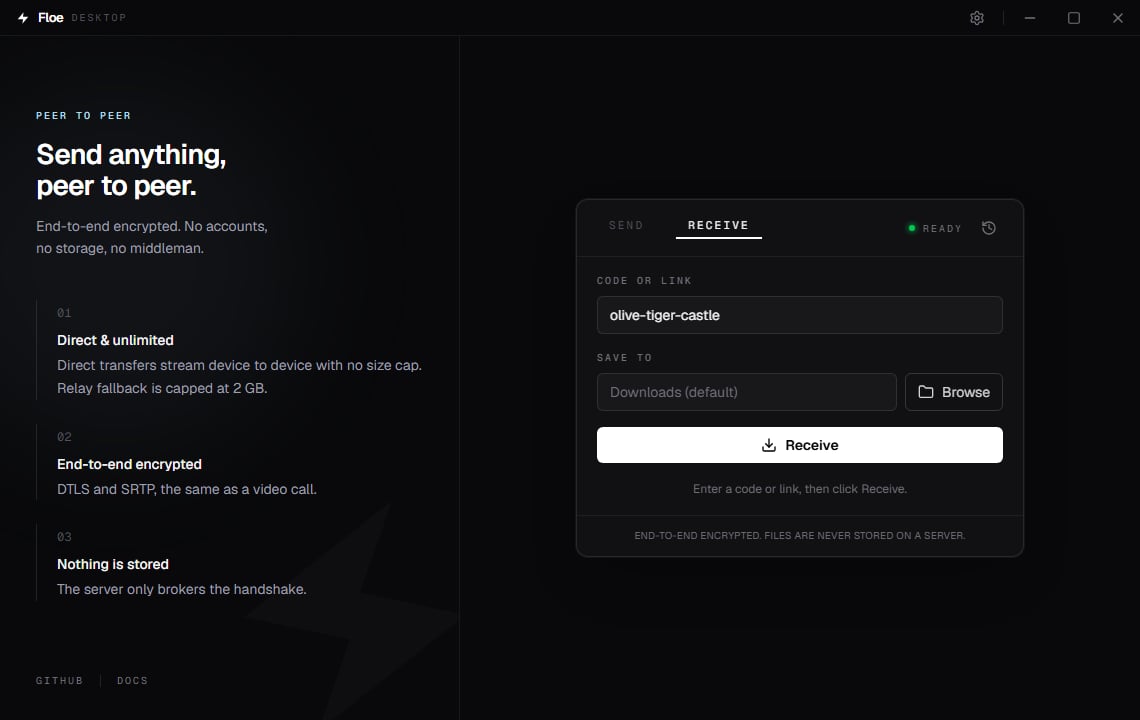
The Receive tab
Enter a code or link
The Code or link field accepts any of these:- A room code, three words such as
olive-tiger-castle. - A share link, for example
https://floe.one/#room=.... - A link from an older Floe release that used
?room=instead.
Enter in the field instead of clicking
if you prefer.
Choose where files land
Save to is where everything arrives. Leave it blank and Floe uses your Downloads folder, or your home folder if you do not have one. Click Browse to pick another one, or type a path directly. Floe creates the folder if it does not exist. Whatever you choose here is remembered for next time. You can also set it once in Settings.The transfer
Click Receive. Floe joins the room, connects to the sender, and starts writing files straight to disk. There is nothing to accept: unlikefloe receive on the command line, the
desktop app starts as soon as it connects. The moment the sender is known, the card shows what
is incoming (the file name and size, or the file count and total) before the first byte lands.
The badge at the top right shows DIRECT or RELAY once the route is known, and a progress
bar shows the current file with speed and time remaining. Cancel stops it. Closing the
window mid-receive asks first, so one stray click cannot cut a transfer off.
When it finishes you get a Windows notification, and a transfer that fails raises one too, so
a failure behind a minimized window is never silent. Canceling does not notify. On success the
card shows where the files went:
- For a single file, Open launches it in its usual app and Show in folder reveals it in File Explorer with the file selected.
- For several files, Show in folder opens the folder.
Nothing is ever overwritten
If a file arrives with a name you already have, Floe does not replace it. It adds a number before the extension, the same way browser downloads do:Example
name.ext.part, and it takes its
real name only at the moment it is complete. Anything you see without .part is whole.
Names Windows cannot represent are adjusted
Some file names are perfectly ordinary on a Mac or a Linux machine and cannot exist on Windows. A timestamp likebackup:2026-08-19.log is the common case, because Windows gives the colon a
special meaning. Floe adjusts the name before writing the file, and the progress line and
Show in folder both use the adjusted name.
The characters < > : " | ? * become underscores, trailing dots and spaces are removed, and a
name that is a reserved device name (such as NUL) gets an underscore in front. If two files
end up with the same adjusted name, the second is numbered exactly as above.
The incoming preview shows the name with control characters and text-direction marks replaced,
and a long name shortened with its extension kept. The progress line and History show the name
as it was saved, so they match the file in your folder.
This matters for more than tidiness. Before Floe did this, a file called backup:2026-08-19.log
appeared in your folder as an empty file called backup, because Windows had quietly routed the
contents somewhere else, and the transfer still reported success.
Received files are marked as downloads
On Windows, Floe tags each file it writes with the mark of the web, the same tag Windows puts on a browser download. SmartScreen and Office Protected View then treat it like anything else from the internet: an executable prompts before running, and a document opens read-only until you choose to enable editing. This is deliberate. Files arrive from another person’s device, and Windows should apply its normal caution. The mark is an NTFS feature. If your save folder is on a FAT32 or exFAT drive, which most USB sticks are, or on a network share that does not support it, the mark cannot be written and the file arrives untagged. The file itself is saved either way.History
Click the clock icon at the top right of the card, or pressCtrl H, for a list of what you
have sent and received.
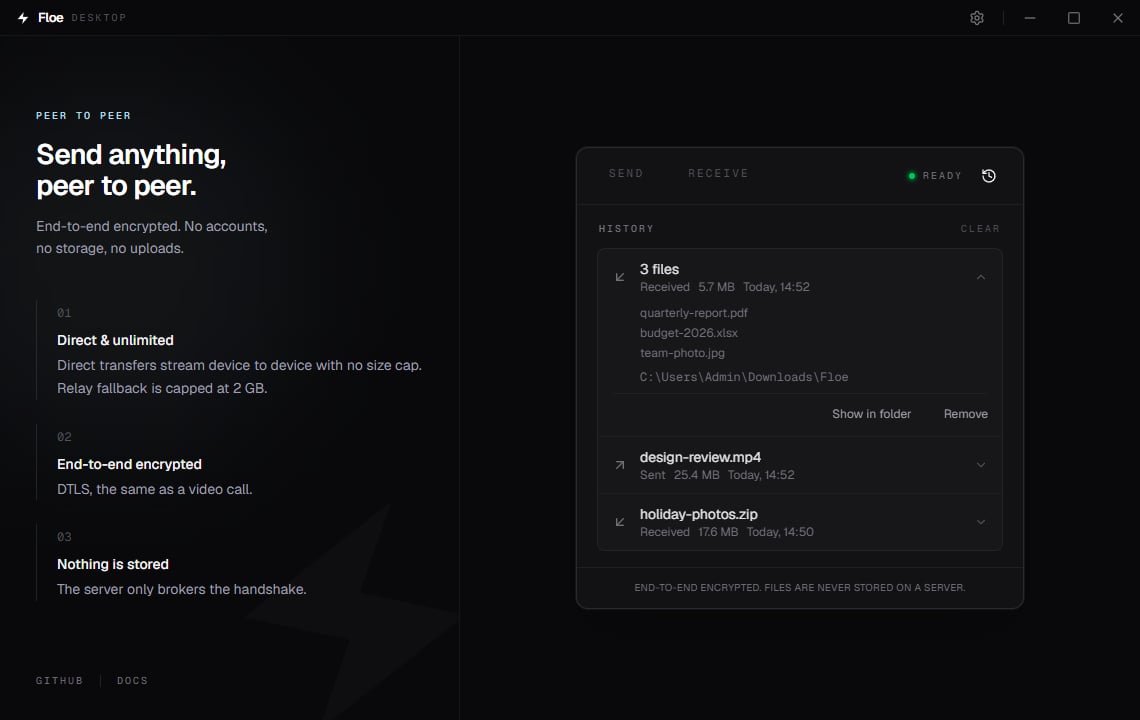
The History view
Contribute to global stats
After a transfer completes, the receiving side reports only the number of bytes to Floe’s server, which adds it to the public counter on the homepage. File names and contents are never sent, and the sender never reports anything. It is on by default, and you can turn it off under Settings. When it is off, no request is made at all. If you point Floe at your own server, the report goes to that server rather than to floe.one.When it does not work
If Floe connects but nothing arrives, it gives up after 30 seconds and says the sender never
started sending; ask them to try again. If it never connects at all, check that both of you are
on the same signaling server. See Troubleshooting.
A transfer that fails or is canceled partway deletes the
.part file it was writing, so
nothing half-written is left behind under a finished-looking name. Files that completed before
the failure are kept, and a retry can use the original name rather than a numbered one.
Closing Floe while a transfer runs behaves the same way. The prompt asks first, and choosing
Close anyway stops the transfer and removes the .part file on the way out, so a clean quit
leaves nothing behind at all. Only an unclean end leaves one: the machine loses power, or the
process is ended from Task Manager. The unfinished file then sits there as a .part file rather
than under a finished-looking name, and it is safe to delete.